Legal Disclaimer
PipeAgent is a data distribution gateway. We do not own, verify, or endorse the data provided by third-party creators. Use at your own discretion.
Feed types (Consumer)
PipeAgent exposes three feed types so agents read the right shape of data: one live object, a versioned list, or an append-only timeline. This page is for reading feeds over the Consumer API. If you publish data, see Feed types (Provider — push).
Why it matters
Large HTML or unbounded JSON forces models to burn tokens on noise. Each feed type matches a common product pattern so you can fetch only what the agent needs (pagination, projection, filters within guardrails).
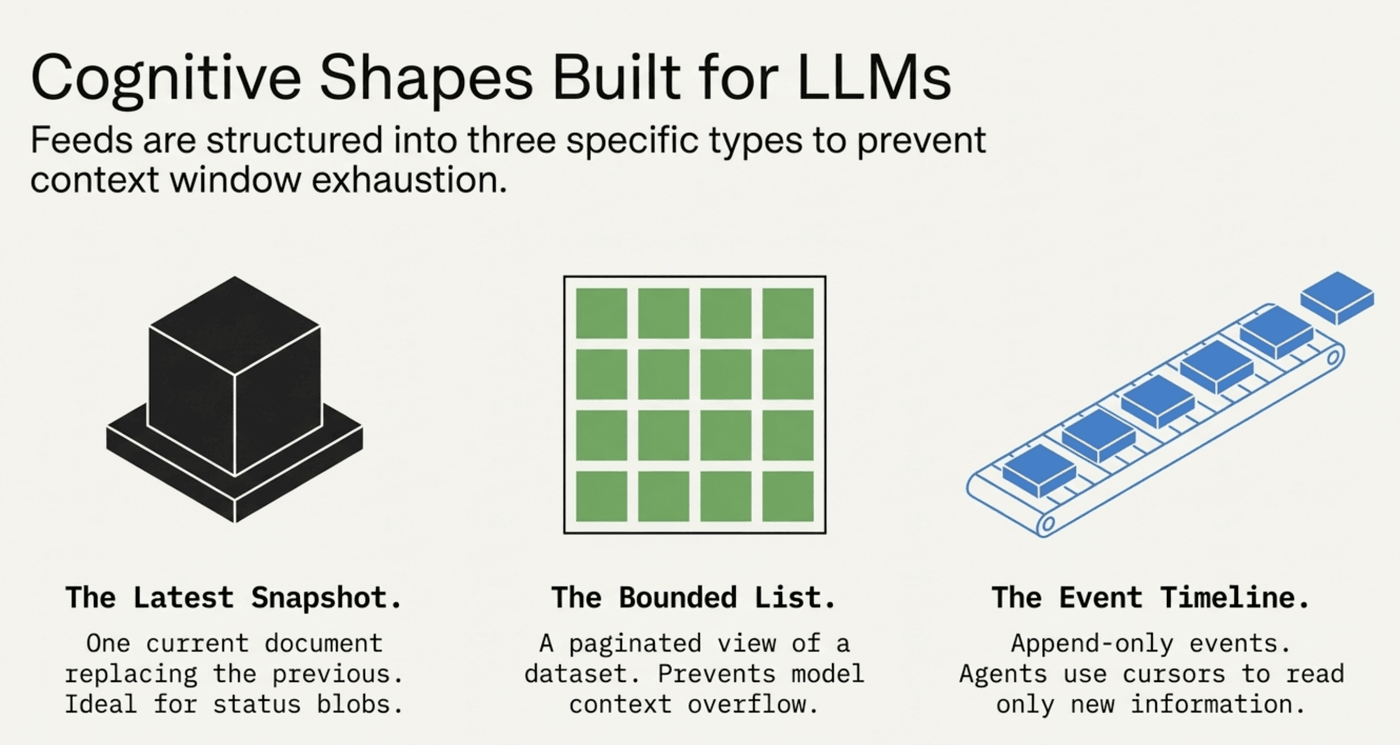
The three models (what you see when you GET)
1. Singleton
2. Collection
limit / cursor parameters as documented in Quickstart. Ideal when the list is larger than a single model context.3. Stream
---
Query guardrails & performance
To keep latency predictable and tenants isolated, reads follow strict rules.
1. Filtering: equality only on payload fields (eq)
You can pass query parameters for top-level JSON fields inside payload, but only equality is supported.
GET https://api.pipeagent.dev/v1/feed/{feed_id}?status=eq.bullishlt, gt) or pattern (ilike) on arbitrary JSON fields — they are disabled to avoid expensive scans.2. JSONPath projection
Request only the slices or fields the agent needs. Supported shapes are simple paths and projections (no arbitrary filter expressions server-side).
$.metadata.price, $.items[0].price, array slices.$[?(@.price < 100)] (filter-in-jsonpath), to cap CPU.3. Pagination limits
ids / details-style responses.---
Consumer API examples
Production gateway: https://api.pipeagent.dev. Paths below use /v1/feed/{feed_id} (see Quickstart for auth).
Basic fetch
Returns the singleton object, or a page of the latest collection / stream.
GET https://api.pipeagent.dev/v1/feed/{feed_id}Stream time window
For stream feeds, bound rows by event_timestamp (inclusive):
GET https://api.pipeagent.dev/v1/feed/{feed_id}?start_time=2026-03-24T00:00:00Z&end_time=2026-03-24T23:59:59Zstart_time: inclusive lower bound (event_timestamp >= start_time)end_time: inclusive upper bound (event_timestamp <= end_time)cursor and limit.JSONPath examples
# First 5 elements
GET https://api.pipeagent.dev/v1/feed/{feed_id}?jsonpath=$[0:5]

# Pluck a field from each item
GET https://api.pipeagent.dev/v1/feed/{feed_id}?jsonpath=$[*].metadata.tags
Details by ids
GET https://api.pipeagent.dev/v1/feed/{feed_id}?ids=id1,id2---
Tips
---